
A Proven Framework for Marketing Budget Allocation in B2B
One of the most daunting tasks for a global marketing leader is consolidating budget requests from multiple teams into a cohesive plan. It’s not just about crunching numbers—it’s about aligning every dollar with strategic priorities while maintaining clarity for all stakeholders.
During my time as VP of Digital Marketing and Marketing Operations, I developed a flexible yet structured marketing budget template that eliminated confusion, saved hours of manual effort, and enabled data-driven decision-making.
Today, I’m sharing this template with the Excel.TV community to empower marketing professionals at every level, whether you’re a CMO of a global organization or running a lean team. Alongside the template, I’m sharing best practices to ensure your marketing budget process is not just functional but strategic.
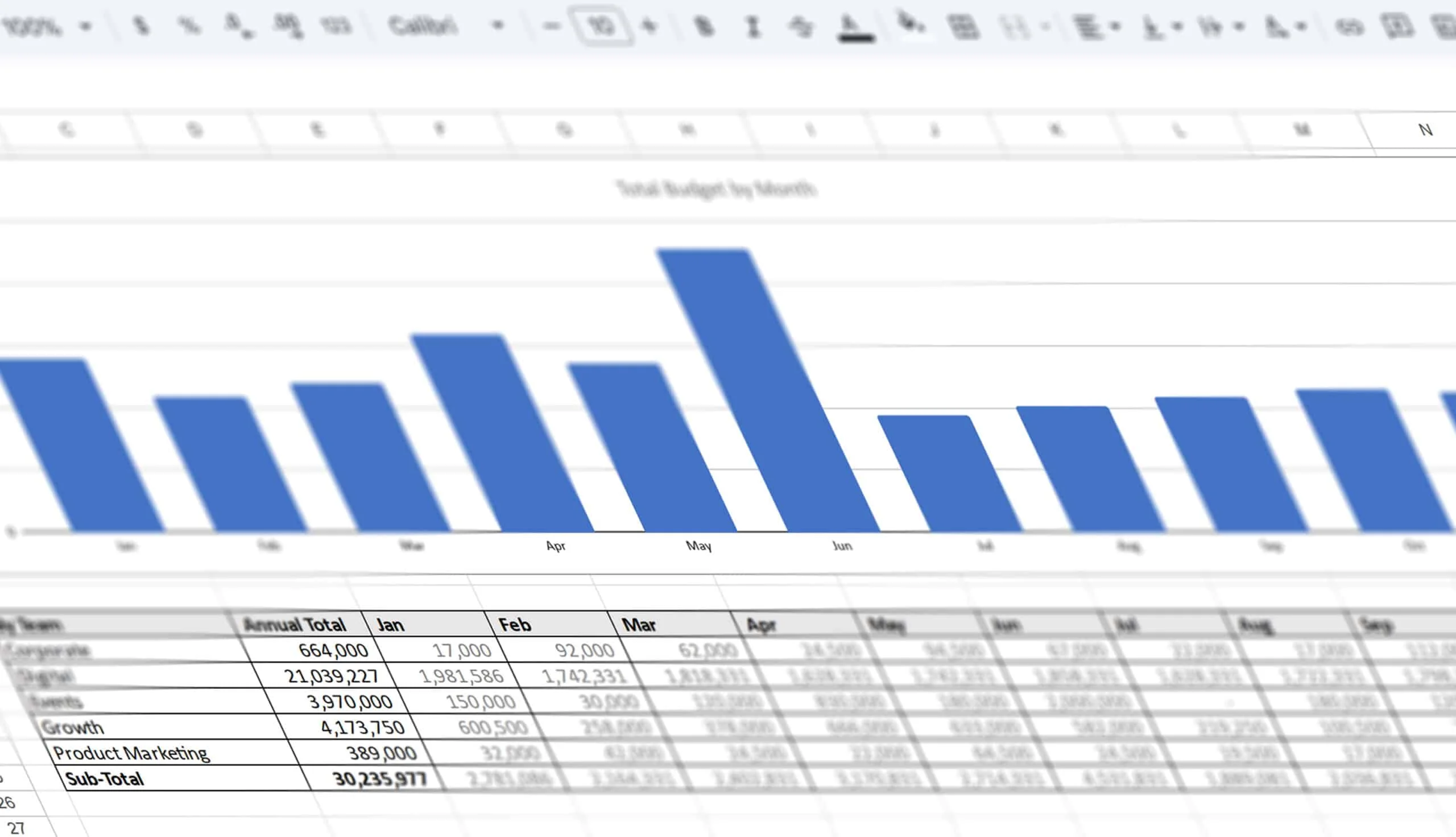
This framework helped consolidate budget requests from multiple departments into one document, providing clear visibility into allocations by product line, region, team, and month.
Now, I’m sharing this template with the Excel.TV community to help simplify your marketing budget process.
Why This Template Works
This template wasn’t created in a vacuum. It’s the product of years of experience working with marketing teams in the Microsoft Dynamics ecosystem, ISVs, VARs, and global distributors. I designed it to address key pain points, such as:
- Fragmented Data: Each department often provides budget requests in different formats, making consolidation a nightmare.
- Lack of Clarity: Without a unified format, it’s nearly impossible to get a clear picture of overall marketing spend by region or product line.
- Risk of Overlap: Multiple teams working in the same spreadsheet can lead to errors and accidental overwrites.
This template solves these issues by creating a centralized system while maintaining the flexibility for individual departments to manage their own line items.
Key Features of the Marketing Budget Template
This template was designed with input from CMOs, finance teams, and marketing professionals, making it highly practical and versatile. Here’s what sets it apart:
- Separate Departmental Sheets: Each team or department gets its own worksheet to input detailed line items, ensuring clarity and preventing accidental overwrites.
- Automatic Summaries: The template consolidates data from all departments into a master summary, breaking down total spend by:
- Product Line (or Business Unit)
- Region (e.g., North America, EMEA, APAC)
- Month (to track cash flow and seasonal trends)
- Customizable Framework: While structured, the template is flexible enough to accommodate your organization’s unique structure, whether you manage a single product line or multiple business units across global regions.
- Forecastingg: Built-in formulas allow for easy forecasting of monthly and annual budgets .
By using this template, your marketing team can eliminate hours spent manually consolidating spreadsheets from various departments. The clear breakdowns also help CMOs and finance teams make informed decisions about budget allocation and ensure that every dollar aligns with company goals.
Why Budget Allocation Matters
Marketing budgets are more than just numbers—they’re the blueprint for achieving business goals. However, without a well-structured system, common pitfalls can derail even the most strategic plans:
- Overlapping Priorities: When budgets aren’t clearly allocated by team, product line, or region, it’s easy for resources to be misaligned with business goals.
- Siloed Planning: Departments working in isolation may fail to account for interdependencies, leading to inefficiencies and missed opportunities.
- Missed Insights: Without a consolidated view, it’s hard to spot trends, identify inefficiencies, or justify your budget to executives.
A well-designed template not only simplifies the logistics but also facilitates collaboration and provides actionable insights into your marketing spend.
Best Practices for Marketing Budget Allocation
To get the most out of this template, consider the following best practices:
1. Start with Strategic Priorities
Every dollar in your marketing budget should align with your company’s goals. Begin by defining key objectives, such as:
- Increasing brand awareness
- Generating leads for a specific product line
- Supporting sales in a high-growth region
Once these priorities are clear, allocate budgets accordingly.
2. Collaborate Across Departments
While this template ensures clarity, it’s still crucial to engage department heads early in the process. Encourage open communication to understand their needs and challenges while aligning their requests with overarching goals.
3. Plan for Flexibility
Marketing is dynamic. Leave room in your budget for unexpected opportunities, such as trade shows, product launches, or high-performing campaigns that require additional investment.
4. Leverage Historical Data
Use data from past campaigns to inform budget decisions. For example, if a specific channel consistently delivers a high ROI, consider allocating more budget to it while scaling back less effective initiatives.
5. Monitor and Adjust
Budgeting isn’t a one-and-done process. Use this template to track actual spend versus planned allocations monthly. Regularly review performance metrics and reallocate funds to high-performing initiatives as needed.
6. Incorporate Forecasting
Predict cash flow by analyzing trends in seasonal demand or product launches. This ensures your team isn’t caught off guard by high spend months and can proactively manage resources.
7. Communicate with Stakeholders
Transparency is key. Summarized views in this template make it easy to provide executives with a clear picture of how marketing dollars are being spent, increasing confidence in your decisions.
Download the Template
I’ve cleaned up the original document and made it available for you to use as a base template. Whether you’re running a startup or managing a global team, this framework can be customized to fit your needs.
Simply enter your work email, and we’ll send you both the Microsoft Excel and Google Sheets versions.
_Send This Template to My Email
My Work Email*
Your e-mail address is only used to send you our newsletter and information about the activities of Excel TV. You can always use the unsubscribe link included in the newsletter._
Fill out the form above to download the Marketing Budget Template and take the first step toward a more organized, transparent budgeting process.
