

Using Ampersand Formula In Excel
Excel MVP Jordan Goldmeier notes that although this quick tip if fairly straightforward, a lot of people don’t know it.
First off… Define Concatenate
In the simplest terms… its slamming the contents of cells together. Like having the first name in one cell and the last name in a second cell, and wanting an end result that is the full name in one cell.
Now that’s a simplistic example that doesn’t include the adding of spaces between the first and last name, but lets keep this simple for now.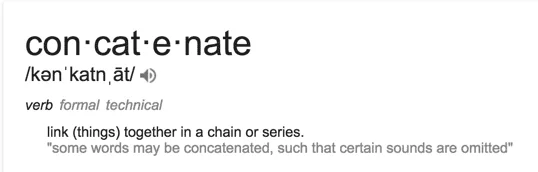
The Concatenate Formula In Excel
Excel has a built in formula for concatenation. =CONCATENATE([text1],[text2],…)
Replace [text1] with a reference to a cell that has the first name.
Replace [text2] with a reference to a cell that has the last name.
Wallah… you just slammed some cells together.
But Let’s Get Fancy – The Ampersand
Finding that Concatenate Formula can be some hard work. Click here, click there. Who needs that kind of hassle. Not me. HELL NO.
So let’s super simplify this thing.
No need for special Excel formulas. Just use the ampersand. You may be saying to yourself…
“Hey Self… What’s an ampersand?”
Glad you asked. It’s this thing. —–>
I get that it’s very “Tramp Stamp-ish”. Very… bad tattoo idea that was meant to mean something important… but you don’t really remember now…
That kind of vibe.
But Here Is What You Do
Place the tramp stamp between the references to the two cells and wallah… You just slammed some cells together.
Here is what I mean.
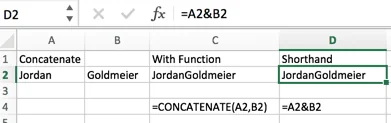
Where cell A2 is the first name and cell B2 is the last name. =A2&B2
