
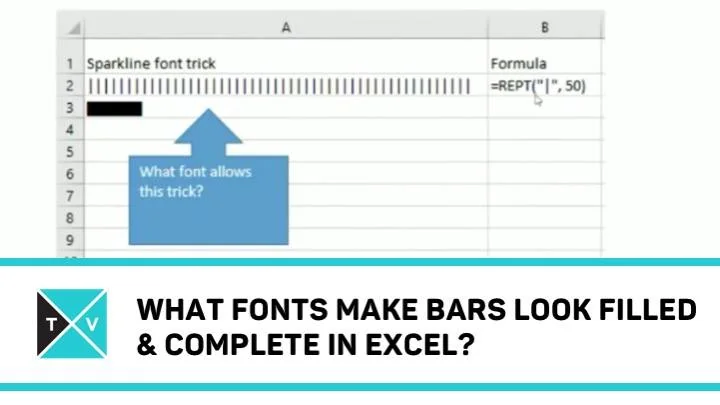
Hey folks! Welcome. Excel TV wishes you a very happy new year. Excel Author Jordan Goldmeier is ready with the first Excel challenge in 2016, but as usual before looking at this episode’s challenge, let us have a look at answer to previous episode’s challenge.
Last Week’s Challenge
Correct Answer from last week’s Challenge
If you remember, last episode’s challenge was on Excel Colors. Jordan asked how the value of RGB (R,G,B) is calculated? So, here is the answer.
If you remember converting numbers from one number system to another number system in school, then this would help you to answer this challenge. Here you need to consider the base as 256.
So, RGB (R,G,B) is calculated as R*256^0 + R * 256^1 + R*256^2
Here, RGB (130, 210, 11) = 774786 is calculated in the same way.
Hope you got it! Interesting right?
Last episode’s winner is “Ryan Tretter”. Congratulations!
What are the Fonts That Make Bars Look Filled & Complete
Now, Jordan comes up with this week’s Excel challenge and here it goes,
You can create in-cell Sparklines using the REPT formula and the “pipe” | symbol. There are two commonly used fonts in this trick that will make the bar look filled in and complete. Name one of those fonts.
Hurry up to Answer
You know the answer? Then what are you waiting for? Comment your answer below this post or answer us through Facebook. You can even tweet answer @ExcelTv. Hurry Up!

Comments (5)
Historical comments preserved from the WordPress archive. Commenting is no longer active.
We can use (Playbill – Font Size-10, Stencil – Font Size – 10. & Haettenschweiler – Font Size -11) for a perfect in cell bar.
http://1drv.ms/1KCdD2O
As well as the ones mentioned above: Playbill in size multiples of 20 (20, 40, 60, etc), Stencil (size 10, 14 and a few others) & Haettenschweiler (sizes 11 & 16).
But I’m going to go with Britannic Bold (size 11, or most any even numbered size (12, 16, 18, etc).
Hell All,
Greetings for the day!!!
Font Names are:
1. Britannic Bold
2. Haettenschweiler
Regards,
Arvapally
9848681465
Congratulations! You’ve won our contest. Please email me jpo645 (at) gmail to claim your prize!
1. Playbill
2. Stencil