
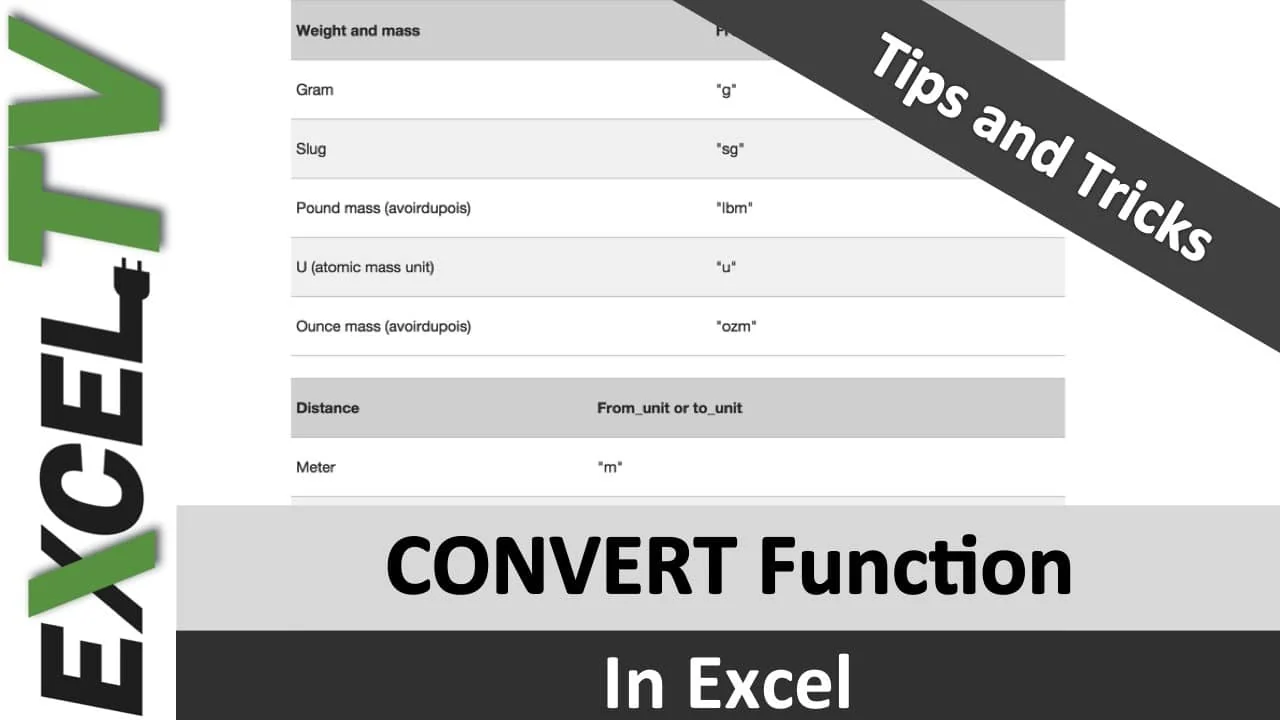
Are you converting your measurements like a chump?
This happens all the time. You get a data dump from your main office in London. Can’t wait to start the analysis. Only to find out that the data uses British measurements. What is a stone anyways?
And if you are a chump… like most of us are… you go about looking up a conversion table somewhere on the internet. Copy/paste. Bring it into Excel. Or UDF Functions. YUK.
Don’t be a CHUMP. Be a CHAMP.
There is an easier way.
Today’s tip is offered by Kevin Lehrbass of MySpreasheetLab.com. Use the CONVERT Function.
CONVERT Function to the Rescue
Go over to your Excel help icon and type in “CONVERT”. You will see a ton of items that can be converted. But first things first.

CONVERT Function Setup
In the example below, I am converting 7 Meters to Feet. There is a number, in this case 7, along with the from_unit and to-unit. The from_unit and to_unit should be in quotes.

Below is a final example of meters to feet and hours to minutes.


From_unit and to_unit
OK. Well that’s kind of cool, Rick. But how would I intuitively know that “m” is meters and not minutes. And that “ft” is feet and not fahrenheit? Good question. Below is a handy lookup table for you. If you click the image, it will also download an excel file that has all the units.
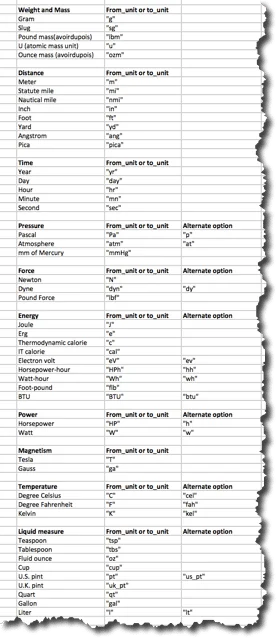 Click to Download Spreadsheet File
Don’t Get CRAZY
If you to to convert minutes to meters. Or inches to celsius, you will get an error. This will only work to convert F to C in Excel.
BONUS Download
Convert function spreadsheet <– Click to download the spreadsheet example
Check out Oz’s Book
Guerrilla Data Analysis Using Microsoft Excel is yours for the taking. Oz mentioned it again in this video, so you should check it out.
